Copy once, forget. Retrieve in seconds.
Memory infrastructure for devs.
Everything you copy, instantly findable. Press ⌘⇧Space. Type. Paste. Done.
You copy ~150 things a day. You can't find one when it matters.
The command, the token, the snippet, the URL — copied, gone. Now you're hunting through eight apps to get it back.
- not hereSlackscroll forever, find nothing
- not hereNotionwhich page was it again?
- not hereTerminalscrollback already gone
- not hereGoogle Docsburied under 40 others
- not hereiMessagelost in a thread
- not hereOld emailssearch keeps timing out
- not hereSticky noteson the other monitor
- not herenotes2.txtor was it notes_final.txt?
→ Half an hour later, you re-type it from memory. Tomorrow, you'll do it again.
The first tool built for the most fragmented data in your workflow.
is for what you mean to write down.
is for what you mean to share.
is for what you mean to query.
is for what you didn't mean to forget.
Not a wiki. Not a notes app. ClipMind owns the ephemeral — every clip you'll need in the next five minutes, all in one place. Searchable. Encrypted. Yours.
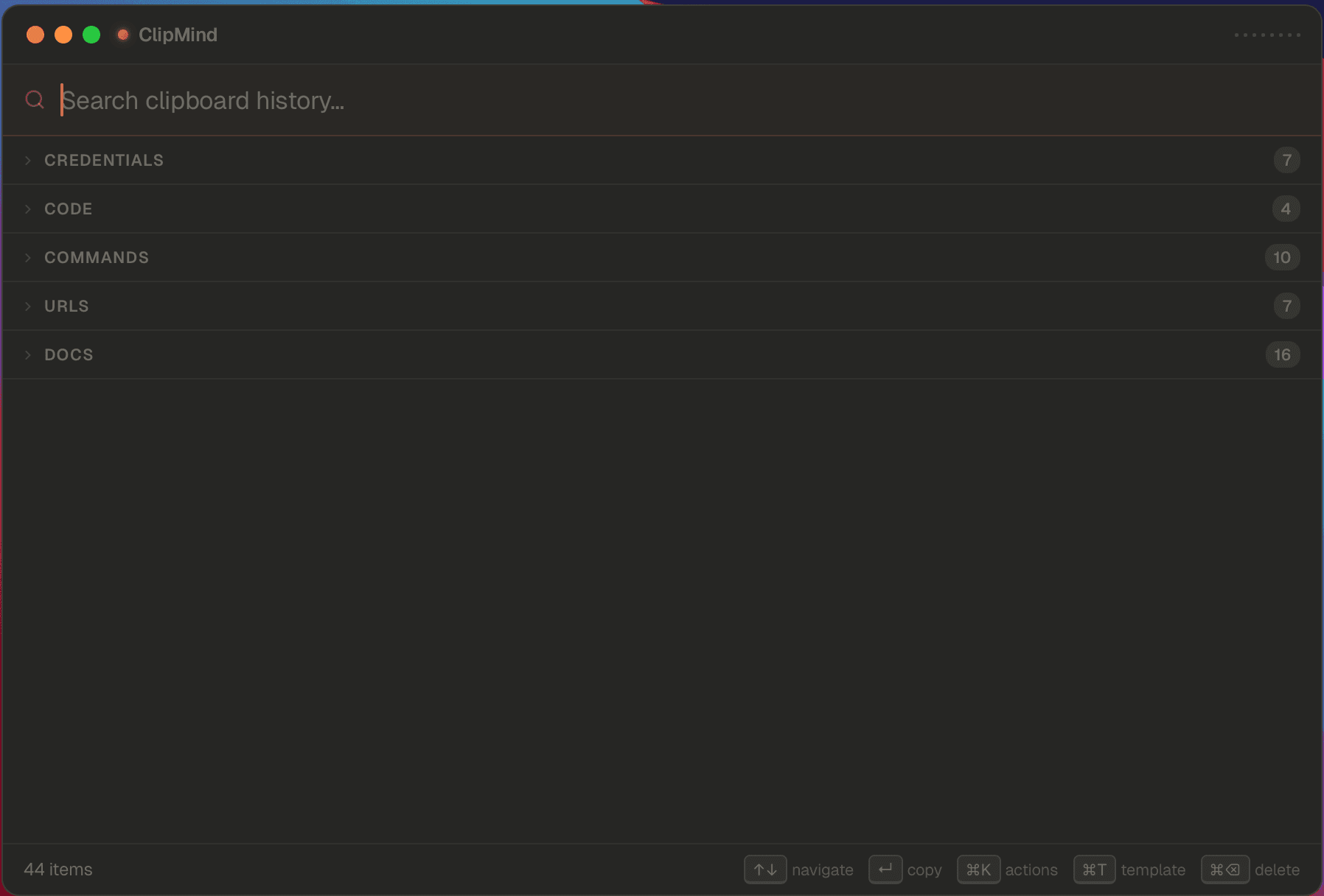
One search bar. Five sections. Zero tagging.
Every clip lands in the right bucket the moment you copy it. You never tag, sort, or organize. Ever.
Built like the tool you'd build for yourself.
One window. One search bar. Done before you finish typing.
Find anything in a heartbeat
Type what you remember — even fuzzy. 'that thing about kafka retries' finds the right clip, every time.
Secrets stay secret
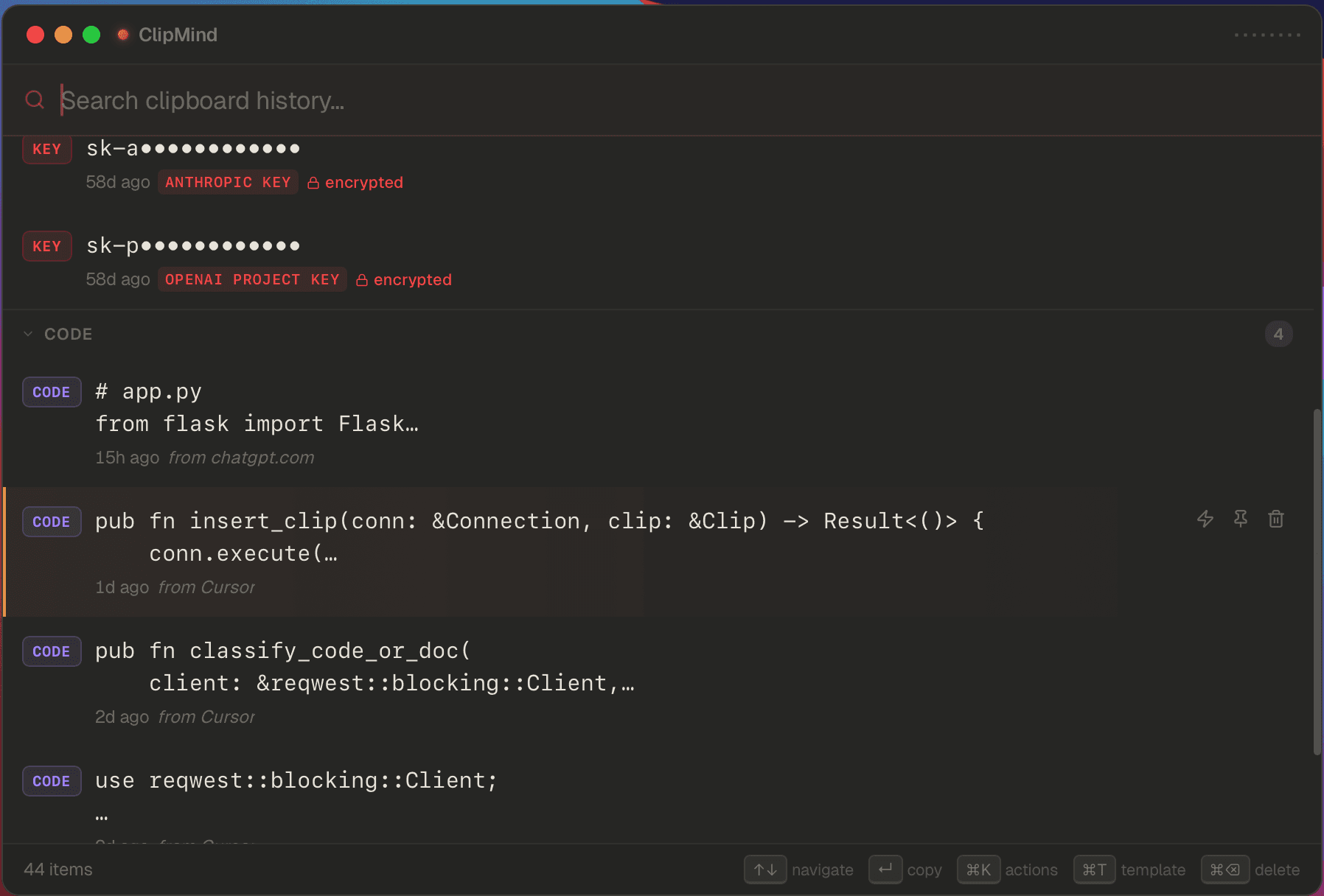
API keys, tokens and credentials are auto-detected, encrypted, and masked. Always.
Sorted before you blink
Code, commands, URLs, secrets, emails — each clip lands in the right bucket the moment you copy it.
AI on any clip
Summarize a stack trace. Explain a regex. Sort, dedupe, wrap as code. One keypress, done.
Templates that fill themselves
Save the messages you write on autopilot. Drop in the bits that change. Send.
Feels like a native app
Tiny, fast, and out of the way. Opens before your finger leaves the keyboard.
Pin what matters
The five things you copy every day stay on top. The other 145 stay out of the way.
Keyboard, not mouse
Arrows to navigate. Enter to copy. ⌘K for AI. ⌘T for templates. Your hands never leave home row.
Press ⌘K. AI does the rest.
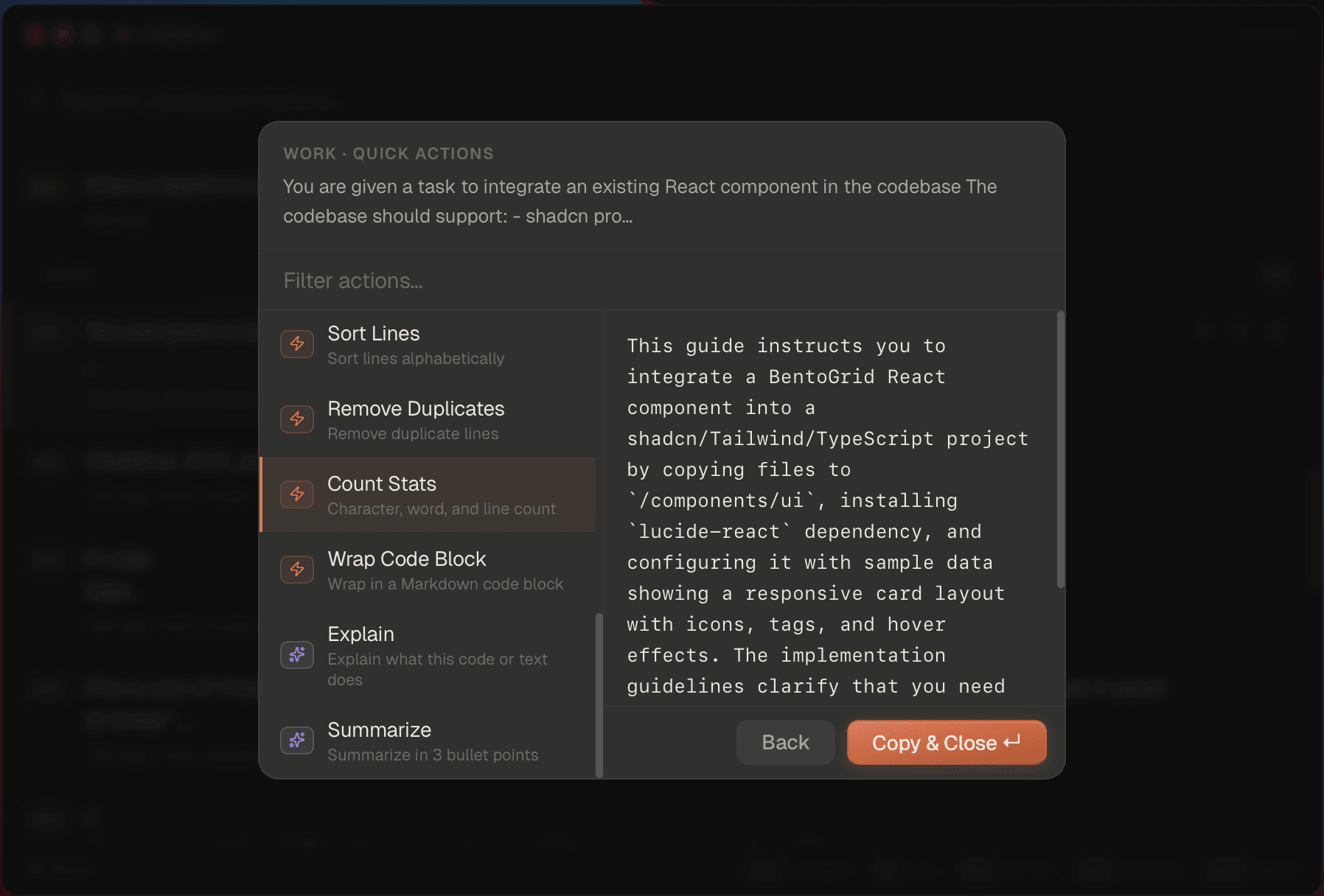
Press ⌘K. Reshape any clip in a second.
Summarize a stack trace. Sort, dedupe, wrap as code, explain a regex. Every clip, one keypress from useful.
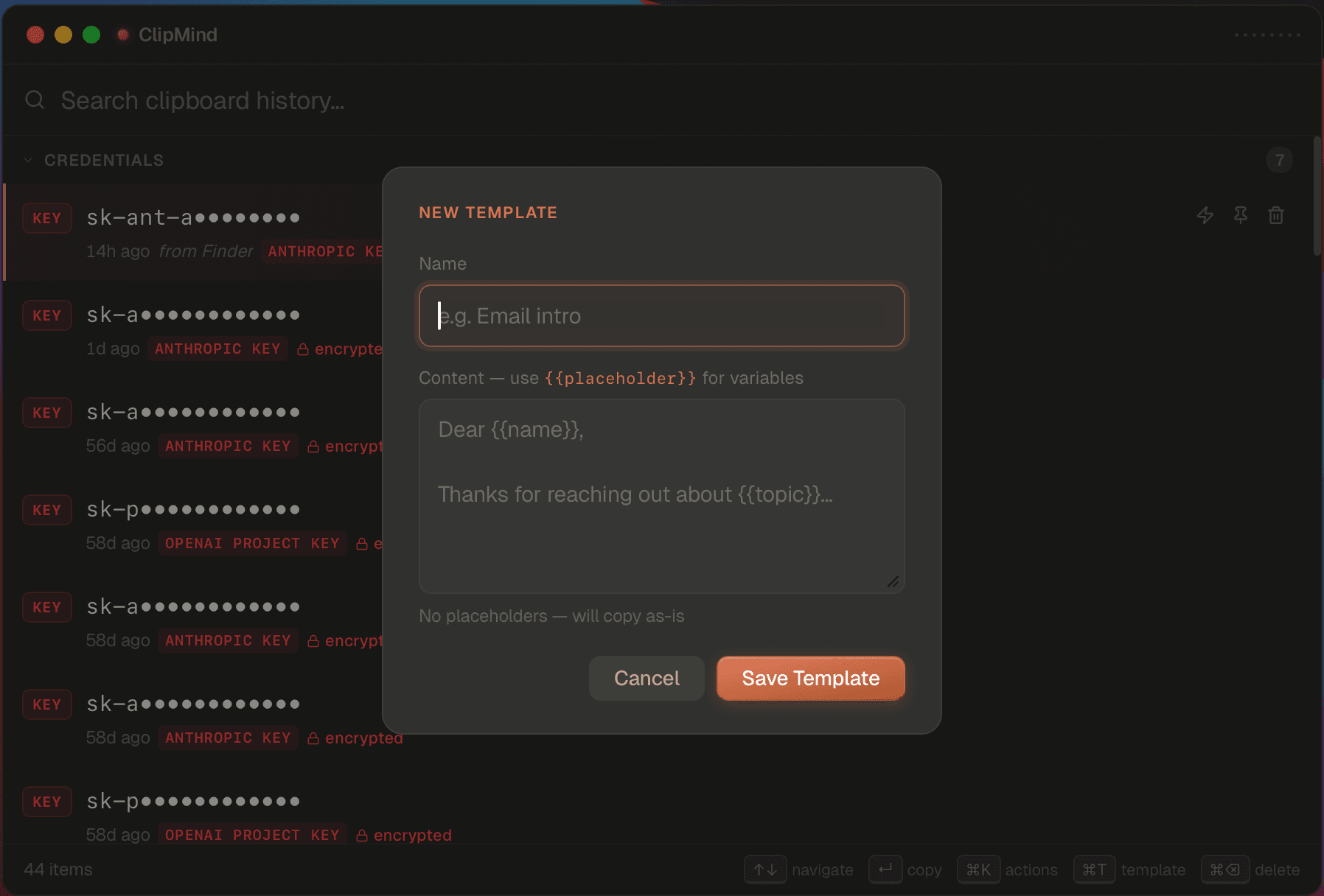
The reply you write ten times a week — write it once.
Save the boilerplate emails, PR descriptions, and incident updates. Use {{name}} and {{date}} for the bits that change.
Your teammate sent that curl command three weeks ago. You half-remember --data-binary was in it.
That SSH command with the right -i ~/.ssh/key and the -J jump host. You've typed it 40 times.
ClipMind detected it as a credential, encrypted it, showed only a masked preview.
Need yesterday's error message, the stack trace, the diff snippet, the Linear ticket URL.
Save it as a template with {{name}} and {{date}}. Boilerplate goes on autopilot.
You closed the tab without saving. Doesn't matter — it's auto-categorized in Code at copy time.
Your clips never leave your machine.
No cloud. No sync. No accounts. Just you and your data — exactly where you left it.
The simplest privacy policy in the business: we can't see your data because we never had it.
spent searching for things you already had.
ClipMind takes that to ~10 minutes a month.
You get a working day back. Every month.
Never lose a copy again.
Install in 30 seconds. Save hours every week — for the rest of your career.